
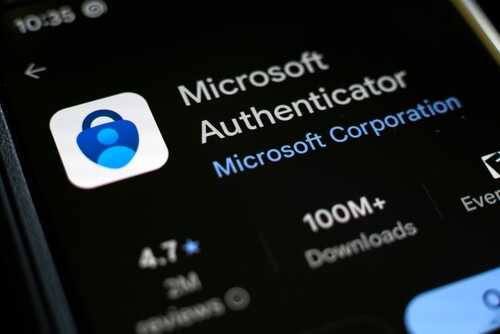
Phony Microsoft security alerts are fooling Americans into surrendering their passwords and private info—by piggybacking on trusted platforms like Google Docs and SharePoint that you’d expect to be safe.
At a Glance
- Scammers are sending fake Microsoft security alert emails that look legitimate but are designed to steal your credentials.
- These phishing emails often use real platforms like Google Docs or SharePoint to bypass your email’s security filters and trick you into clicking.
- Victims who take the bait are sent to phony login pages where their passwords are harvested and accounts can be hijacked.
- Microsoft and cybersecurity experts are warning the public but say user vigilance is still the weakest link in the security chain.
Phishing Scams Exploit Trusted Brands and Platforms
Let’s talk about common sense and the death of it in our digital age. You’d think with all the “advanced” security measures and billion-dollar tech companies, Americans would finally be safe from these cyber crooks. But here we are, in 2025, and phishing scams are getting slicker. A wave of emails, dressed up as “urgent” Microsoft security alerts, are landing in inboxes across the country. They’re so convincing, they’d give a Hollywood makeup artist a run for their money. These aren’t your grandkids’ spelling-error-filled scam emails. These messages look like the real deal, complete with Microsoft branding, urgent warnings, and links that point to trusted platforms like Google Docs or SharePoint. Most folks see a link to Google Docs and their guard drops. That’s exactly what these scammers are counting on.
How fake Microsoft alerts trick you into phishing scamshttps://t.co/0PusPoYgv5 pic.twitter.com/tvkIEnbl2W
— World News Guru (@worldnews_guru) July 26, 2025
The emails claim there’s been suspicious activity or a security breach in your Microsoft account, urging you to “verify” or “secure” your account immediately. It’s all designed to create panic, to get you clicking without thinking. Click that link, and you’re whisked away to a slick, fake Microsoft login page. Enter your password, and congratulations—you’ve just handed your digital keys to a criminal. Some of these scams even add a phone number for “support,” which routes you straight to a scammer ready to milk you for more information or money. The scam is so effective because it uses real platforms as a smokescreen, bypassing most spam filters and fooling even those who consider themselves tech-savvy.
Victims Targeted, Tech Giants Scramble, and Government Overreach Fails Again
Who’s at risk? Just about anyone with a Microsoft account, especially those who use Outlook, Office 365, or even just a Hotmail address. Businesses get hit hard, too—imagine the damage if a cyber crook gets into your company’s email or cloud storage. Microsoft, for all its resources, can only do so much. They’re constantly warning users and updating their reporting tools, but let’s be honest, the weakest link isn’t the software—it’s people. People who have been beaten down by years of government and tech overlords telling them “We’ll keep you safe. Trust us.” The same government that wastes billions on nonsense can’t lift a finger to help Grandma avoid getting swindled in her inbox. Instead, we get more bureaucracy, more “task forces,” and, of course, more spending with no results. Average Americans are left to fend for themselves, as usual.
Microsoft has integrated new reporting tools in Outlook and gently reminds users to forward suspicious emails to their security team. That’s nice, but it’s like trying to bail out a sinking ship with a coffee mug. Cybersecurity experts have spelled it out: check the sender’s address, hover over every link before clicking, and never trust a login page that doesn’t look 100% right. Multi-factor authentication (MFA) helps, but even that isn’t foolproof when people are tricked into giving up both factors to a convincing fake.
Trust, Security, and the Cost of Complacency
Short term, the fallout is ugly: stolen passwords, hacked accounts, drained bank balances, and a lot of angry, embarrassed victims. Long term, this continued barrage erodes what little trust people have left in digital communications. Every time a new scam succeeds, it’s another reason for Americans to look at Big Tech and Big Government and ask: “Where’s my protection? Where’s my accountability?” The answer, as usual, is nowhere to be found. Meanwhile, security costs go up, companies spend more on training, and regular people are forced to become cybersecurity experts just to check their email in peace.
Sure, Microsoft and the so-called “experts” will keep pushing tips and “best practices,” but the reality is, unless you take matters into your own hands—double check every alert, question every suspicious email, and never, ever trust a company or a bureaucrat to protect you—these scams will keep coming. Maybe if the government spent less time policing speech and more time policing real threats, we’d finally see some results. Until then, stay skeptical, stay tough, and don’t let your guard down for anyone, not even if the email says “Microsoft.”
How to Avoid Becoming the Next Victim
Cybersecurity professionals recommend verifying sender addresses and hovering over every link before clicking. Never enter your password on a page you reached through an email link—if in doubt, go directly to the official Microsoft website. Microsoft’s official domains for real security alerts include accountprotection.microsoft.com and microsoft.com. If you receive a suspicious email, use Outlook’s reporting tools or forward it to Microsoft’s dedicated address for analysis. Multi-factor authentication adds another layer of security, but it’s not a silver bullet. The best defense remains vigilance and good old-fashioned skepticism—qualities that made this country great in the first place. The bottom line: don’t let your guard down, don’t trust what you see just because it looks official, and don’t wait for the government or tech giants to save you. In the end, it’s up to you to protect what matters most.
Stay sharp, fellow Americans. This digital Wild West isn’t getting any safer, and the only thing standing between you and the cyber bandits is your own common sense.
Sources:
Fox News: How fake Microsoft alerts trick you into phishing scams
Microsoft Community: Receiving suspicious Microsoft security alert
Ramsac: How to know if you have a genuine Microsoft security alert
AutoSPF: Microsoft security alert email – how to recognize phishing and scams